

Slow internet can interrupt work, entertainment, and communication on both mobile phones and computers. Pages take longer to load, videos buffer repeatedly, and online tasks feel frustrating. Improving internet speed does not always require a new plan or expensive equipment. In many cases, small changes in settings and habits can lead to noticeable improvements across devices.
Network strength plays a major role in connection quality. On mobile devices, weak signal areas reduce data speed significantly. Moving to an open space, closer to windows, or changing location slightly can improve reception. For computers connected through Wi-Fi, distance from the router and physical obstacles like walls affect signal strength. Placing the router in a central location helps distribute signals more evenly.
Restarting devices and network equipment is a simple yet effective step. Over time, routers, phones, and computers accumulate temporary errors that slow performance. Restarting clears these issues and refreshes connections. Doing this occasionally helps maintain stable and consistent internet speed.
Background activity often consumes bandwidth without users realizing it. Applications running in the background may download updates, sync data, or refresh content. On mobile phones, restricting background data for non-essential apps helps preserve speed. On computers, closing unused programs reduces network load and improves browsing performance.
Browser optimization is important for faster internet use. Clearing cached files, disabling unnecessary extensions, and keeping the browser updated improves page loading times. Heavy extensions and outdated data can slow down browsing even with a fast connection. Using lightweight settings ensures smoother online activity.
For Wi-Fi users, changing the network channel can reduce interference. Many nearby networks may operate on the same channel, causing congestion. Switching to a less crowded channel through router settings can improve stability and speed. This is especially helpful in apartments or densely populated areas.
Mobile users can benefit from adjusting data settings. Enabling data saver modes reduces background usage and lowers media quality slightly to improve speed. Limiting auto-play videos and high-resolution streaming prevents rapid data consumption and buffering. These adjustments help maintain consistent performance throughout the day.
Updating devices regularly also affects speed. System updates often include performance enhancements and network optimizations. Using outdated software may cause compatibility issues with modern websites and apps. Keeping operating systems and apps updated ensures smoother communication with online services.
Switching between Wi-Fi and mobile data strategically can help. If Wi-Fi is unstable, mobile data may offer better speed, and vice versa. Testing both options allows users to choose the stronger connection at any given time. This flexibility improves reliability, especially during important tasks.
Using wired connections on computers provides another advantage. A wired internet connection usually provides better speed and a more reliable connection compared to wireless networks . For activities such as online meetings, gaming, or large downloads, a wired connection reduces lag and interruptions.
Monitoring internet usage helps identify problems. Many devices show which apps or programs consume the most data. Reviewing this information helps users adjust habits and restrict heavy usage. Awareness leads to better control over speed and performance.
Security also influences internet speed. Malware or unwanted software can consume bandwidth in the background. Running security scans and avoiding untrusted downloads keeps systems clean and network usage under control. A secure device performs better and connects more reliably.
Internet speed depends on multiple factors, including network quality, device health, and usage behavior. Improving performance does not require advanced technical knowledge. Simple steps like managing background apps, optimizing settings, and maintaining devices can deliver noticeable results.
A faster internet experience improves productivity and reduces stress. With the right adjustments on both mobile phones and computers, users can enjoy smoother browsing, faster downloads, and more reliable online communication without changing their internet plan.
Aaj ke digital time mein slow internet sabse badi problem ban chuki hai. Chahe online classes ho, YouTube videos, gaming, ya phir normal browsing — agar internet slow ho to kaam karna irritating ho jata hai. Is article mein hum Mobile aur PC dono ke liye internet fast karne ke best, safe aur practical tips detail mein samjhenge, taaki aap easily follow kar sako.
Main simple language (Hinglish) use kar raha hoon taaki har age group ke log samajh sakein.
Internet Slow Kyun Ho Jata Hai? (Basic Samajhna Zaroori Hai)
Internet fast karne se pehle yeh samajhna zaroori hai ki slow speed ke reasons kya ho sakte hain:
- Network weak hona
- Background apps data use karna
- Browser cache aur junk files
- Outdated software
- Virus ya malware
- Router ya modem issues
- Zyada devices ek hi network par connected hona
Ab chaliye step-by-step solutions dekhte hain.
PART 1: Mobile Mein Internet Fast Kaise Kare
1. Network Mode Check Kare (4G / 5G / LTE)
Bahut baar phone automatically slow network par shift ho jata hai.
Solution:
- Settings → Mobile Network
- Preferred Network Type → 4G/5G select kare
📌 Agar area mein 5G available nahi hai, to 4G best option hai.
2. Aeroplane Mode Trick (Instant Speed Boost)
Yeh ek simple par effective trick hai.
Kaise kare:
- Aeroplane mode ON kare (30 seconds)
- Phir OFF kare
Isse network refresh ho jata hai aur speed improve hoti hai.
3. Background Apps Band Kare
Kai apps chupke se data use karte rehte hain jaise:
- Google Photos
- Cloud apps
Solution:
- Settings → Apps → Data Usage
- Un apps ka background data OFF kare
👉 Isse internet speed noticeable fast ho jati hai.
4. Cache Data Clear Kare (Bahut Important)
Cache files time ke sath heavy ho jati hain.
Steps:
- Settings → Storage
- Cache Data → Clear
Ya:
- Individual app → Storage → Clear Cache
⚠️ “Clear Data” tabhi kare jab zaroori ho.
5. Lite Apps Use Kare
Heavy apps zyada data aur speed consume karte hain.
Best Lite Apps:
- Facebook Lite
- Messenger Lite
- YouTube Lite / YouTube Data Saver
📉 Data kam lagega aur speed fast feel hogi.
6. Auto Update Band Rakhe
Play Store background mein apps update karta rehta hai.
Solution:
- Play Store → Settings
- Auto-update apps → Don’t auto-update
Aap manually WiFi par update kar sakte ho.
7. Browser Change Kare
Har browser same speed nahi deta.
Fast Browsers:
- Google Chrome
- Brave Browser
- Mozilla Firefox
- Opera Mini (slow internet ke liye best)
👉 Opera Mini data compress karta hai jo speed badhata hai.
8. Phone Restart Kare (Simple But Powerful)
Phone restart karne se:
- RAM clear hoti hai
- Background process band hote hain
📌 Din mein 1 baar restart karna ek achi habit hai.
9. VPN Avoid Kare (Agar Zaroori Na Ho)
Free VPN:
- Speed slow karta hai
- Server load hota hai
Sirf tab use kare jab privacy ya location zaroori ho.
10. Software Update Rakhe
Old software performance slow kar deta hai.
Steps:
- Settings → Software Update
- Latest update install kare
PART 2: PC / Laptop Mein Internet Fast Kaise Kare
Ab baat karte hain Computer aur Laptop users ke liye.
1. Browser Cache & History Clear Kare
Time ke sath browser slow ho jata hai.
Steps (Chrome):
- Settings → Privacy & Security
- Clear Browsing Data
- Cache + Cookies → Clear
📌 Browser fresh ho jata hai.
2. Unwanted Extensions Remove Kare
Extensions background mein internet use karte hain.
Solution:
- Chrome → Extensions
- Jo use mein nahi hain → Remove
Zyada extensions = slow speed.
3. DNS Change Kare (Advanced But Effective)
Google DNS fast aur reliable hota hai.
Use This DNS:
- Preferred DNS: 8.8.8.8
- Alternate DNS: 8.8.4.4
Isse browsing speed aur website loading improve hoti hai.
4. Background Downloads Band Kare
Windows Update, Cloud Sync, Steam, etc. data use karte hain.
Solution:
- Task Manager → Network
- High data usage apps → End Task
5. Antivirus Scan Kare
Virus aur malware:
- Internet speed kam kar dete hain
- Background data steal karte hain
👉 Ek trusted antivirus se full scan kare.
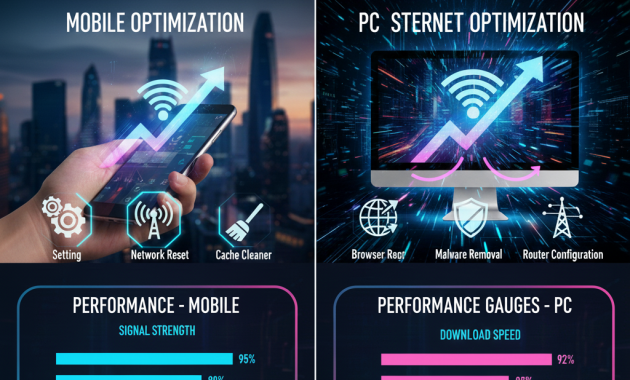
6. Router Ko Sahi Jagah Rakhe
WiFi router:
- Deewar ke paas ya corner mein ho to signal weak hota hai
Best Position:
- Ghar ke center mein
- Zameen se thoda upar
📶 Signal strong = speed fast.
7. Router Restart Kare (Weekly Habit)
Router bhi ek machine hai.
Tip:
- Hafte mein 1–2 baar router OFF → 1 minute → ON
Isse network fresh ho jata hai.
8. Zyada Devices Disconnect Kare
Agar:
- 8–10 devices ek WiFi par connected hain
to speed sab mein divide ho jati hai.
👉 Jo device use mein nahi hai uska WiFi OFF kare.
9. Ethernet Cable Use Kare (Best for PC)
WiFi ke mukable:
- LAN cable zyada fast aur stable hoti hai
Gaming, downloading, online classes ke liye Ethernet best option hai.
10. Internet Plan Check Kare
Kabhi-kabhi problem speed nahi balki plan limit hoti hai.
- Data limit khatam
- Fair usage policy apply
👉 Provider app ya customer care se check kare.

Extra Tips (Mobile + PC Dono Ke Liye)
- Ads blocker use kare
- Trusted websites hi open kare
- Unknown apps install na kare
- Public WiFi par sensitive kaam avoid kare