
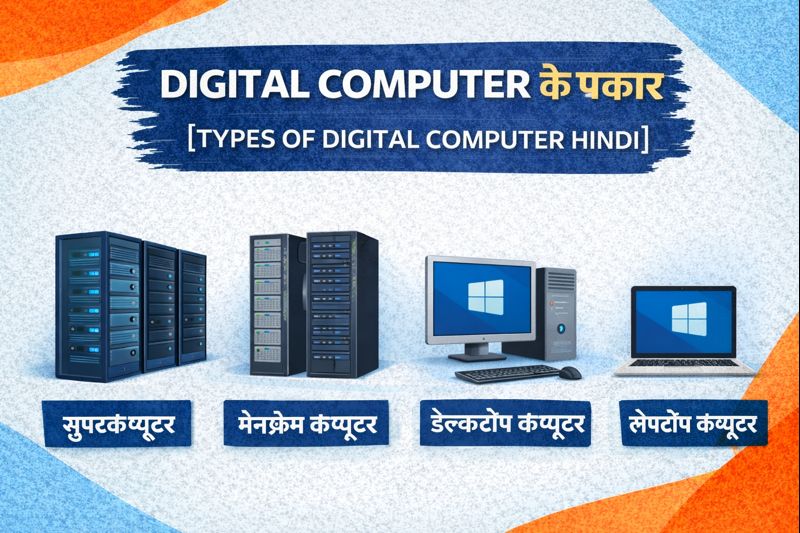
Types of Digital Computers — Complete Guide
Computers have changed the way we live, study, work, communicate and process information. Almost every field today — business, education, science, entertainment, transportation, healthcare — relies on computers in one form or another. Among different kinds of computers, digital computers are the most widely used. From large-scale data centers to small laptops and personal systems, digital computers play a key role in modern life.
In this article, we will fully explore what a digital computer is, how it works, the different types of digital computers, and where each type is used — explained in easy language so that anyone can understand.
1. What Is a Digital Computer?
A digital computer is a machine that processes information in the form of binary values — 0 and 1. All data, whether text, numbers, videos, images or sound, is converted into digital format and then processed electronically.
A digital computer:
✔ Receives input
✔ Stores data
✔ Processes information using logical operations
✔ Produces output
These systems are highly accurate, fast, and reliable — which is why they are used everywhere, from everyday tasks to complex scientific research.
2. Key Features of Digital Computers
Digital computers are different from analog or hybrid computers. Their main characteristics include:
- Work with binary digits (0 & 1)
- Very high processing speed
- Capable of storing large amounts of information
- Can run multiple types of software
- Provide accurate and repeatable results
- Support automation and complex computing
Because of these strengths, digital computers exist in many sizes and forms — depending on purpose and usage needs.
3. Types of Digital Computers
Digital computers can be grouped into several categories. The most common classification includes:
1. Supercomputers
2. Mainframe Computers
3. Mini Computers (historically)
4. Microcomputers
5. Workstations
6. Servers
7. Personal Computers (Desktop & Laptop)
Let’s discuss each one in detail.
4. Supercomputers — The Giants of Computing
Supercomputers are the most powerful digital computers ever built. They are designed for extremely complex and high-speed calculations that ordinary systems cannot handle.
Where Supercomputers Are Used
✔ Weather forecasting
✔ Space research
✔ Climate analysis
✔ Nuclear simulations
✔ AI and deep learning
✔ Scientific research
✔ Cryptography
✔ High-level defense modeling
These systems can perform trillions of calculations per second.
Examples
Although names change over time, famous supercomputers include machines like those used by NASA, ISRO, research labs and national computing centers across the world.
Unique Characteristics
- Extremely high processing speed
- Advanced cooling systems
- Large physical size
- Multi-processor architecture
- Designed for specialized tasks
These systems cost millions of dollars and are usually owned by government agencies, universities, research institutions and large corporations.
5. Mainframe Computers — Built for Massive Data Processing
Mainframe computers are large, powerful machines designed to handle huge volumes of data and simultaneous users. They are often used by organizations that require continuous processing, reliability and security.
Where Mainframes Are Used
✔ Banking systems
✔ Insurance companies
✔ Railways and airlines
✔ Government databases
✔ Telecom companies
✔ Corporate data centers
Hundreds or thousands of users may connect to a mainframe at the same time.
Key Features
- Very high reliability
- Centralized storage
- Exceptional security
- Designed for heavy workloads
- Long operational lifespan
Mainframes are the backbone of many critical systems around the world.
6. Mini Computers — Now Mostly Historical
Mini computers were mid-sized digital computers used mainly from the 1960s to the early 2000s. They were more affordable than mainframes but still powerful enough for organizational work.
Today, modern servers and workstations have mostly replaced them.
7. Microcomputers — The Computers We Use Daily
Microcomputers are the most common type of digital computer today. These systems are smaller, affordable and designed for personal or small-scale use.
Microcomputers include:
✔ Desktops
✔ Laptops
✔ Tablets
✔ Smartphones
✔ Home computers
They use microprocessors as their main processing unit — which is why they are called microcomputers.
8. Desktop Computers — Personal Systems for Home and Office
A desktop computer consists of a monitor, CPU cabinet, keyboard and mouse. It usually remains placed on a desk and is ideal for fixed work environments.
Where Desktops Are Used
✔ Homes
✔ Schools
✔ Offices
✔ Gaming
✔ Graphic design
✔ Programming
✔ Business operations
Advantages
- Powerful compared to many laptops
- Easy to upgrade
- Comfortable for long-term use
- Cost-effective
Because of stability and flexibility, desktops are still extremely popular.
9. Laptop Computers — Portable Digital Systems
A laptop is a compact personal computer that can be carried anywhere. It includes a built-in screen, keyboard, touchpad, battery and processor in a single unit.
Where Laptops Are Used
✔ Students
✔ Professionals
✔ Remote workers
✔ Travelers
✔ Freelancers
Strengths
- Lightweight
- Battery-powered
- Portable
- Suitable for work on the go
Modern laptops can be as powerful as desktop systems.
10. Workstations — Designed for Professional Use
A workstation computer is a high-performance system built for specialized professional tasks such as:
- Video editing
- Animation & 3D modelling
- Architecture & CAD
- Scientific research
- Engineering design
They include stronger hardware compared to normal PCs, such as powerful GPUs, ECC memory and advanced processors.
11. Servers — Computers That Serve Other Computers
A server is a digital computer that stores data and applications and makes them accessible to other connected computers (clients).
Examples of Server Use
- Websites
- Databases
- Cloud systems
- Email services
- Online applications
- Game hosting
Servers run continuously — usually 24/7 — to ensure availability.
12. Embedded Digital Computers
Many machines contain embedded digital computers, meaning the computer is built into another device.
Examples include:
- Smart TVs
- ATMs
- Cars
- Microwaves
- Digital watches
- Smart home devices
They perform specific programmed tasks rather than general computing.
13. Difference Between Analog and Digital Computers
To better understand digital computers, it helps to see the difference.
| Feature | Digital Computer | Analog Computer |
| Data Type | Binary (0 & 1) | Continuous values |
| Accuracy | Very high | Lower |
| Speed | Fast | Depends on system |
| Use | General-purpose | Specialized scientific & engineering |
Digital computers dominate everyday use because of flexibility and reliability.
14. Advantages of Digital Computers
Here’s why they are so popular:
- High accuracy
- Reliable performance
- Large storage capacity
- Fast processing
- Support multitasking
- Affordable options available
- Work with many software types
From home users to scientists — everyone benefits from them.
15. Limitations of Digital Computers
Despite strengths, there are limits:
- Cannot think independently
- Dependent on electricity
- Vulnerable to malware
- Require updates & maintenance
- Performance depends on hardware
Even so, benefits greatly outweigh limitations.
16. Applications of Digital Computers in Real Life
Digital computers are used in:
- Banking and finance
- Education
- Healthcare
- Transport
- Online business
- Engineering
- Data science
- Research
- Entertainment
- Communication
In short — digital computers support almost every modern activity.
17. Components Inside a Digital Computer
Every digital computer contains:
- Processor (CPU)
- Memory (RAM)
- Storage (SSD/HDD)
- Input devices
- Output devices
- Motherboard
- Power supply
Software + hardware together make the system functional.
18. Future of Digital Computers
With advancements like:
- Artificial Intelligence
- Quantum computing
- Cloud computing
- Edge computing
- Machine learning
digital systems are becoming faster, smaller, smarter and more powerful every year.
19. Simple Summary — Types of Digital Computers
Here’s a quick recap:
- Supercomputers — ultra-powerful scientific machines
- Mainframes — large-scale organizational computers
- Mini computers — mid-range systems (mostly historical)
- Servers — machines that serve data to others
- Workstations — high-performance professional systems
- Microcomputers — everyday consumer systems
- Desktops & Laptops — common personal computers
- Embedded computers — built into devices
20. Final Thoughts
Digital computers form the backbone of our digital world. From the smallest smartphone to the largest supercomputer, each type plays a vital role. Understanding their differences helps us choose the right machine for the right task — whether it’s everyday browsing, professional design, business management, scientific research or global data processing.
As technology continues to evolve, digital computers will become even more advanced — shaping the future of communication, automation, artificial intelligence and beyond.